
Skip to content
FLORA

FLORA Weekly

No. 046,

In-Node Generation History

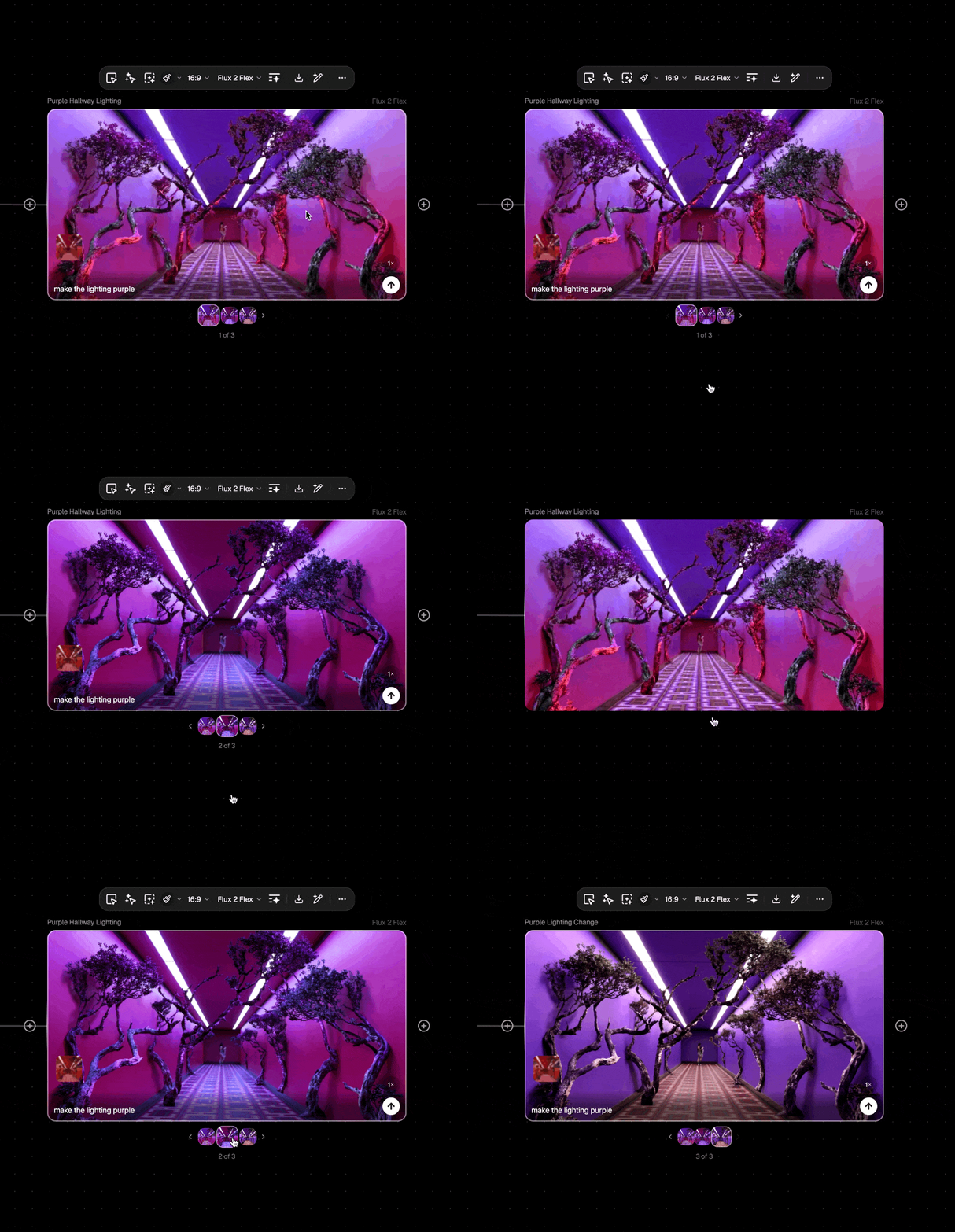
Every node now remembers its history. Browse, compare, and reuse previous outputs without cluttering your canvas or losing that perfect variation from three iterations ago.

📦 New

  1. In-node generation history

    Every node stores up to 100 past generations.

    MoreLess

    Scroll through them in a carousel, navigate with keyboard shortcuts or trackpad gestures, and duplicate or export any result from the new menu.

  2. Default variation behavior

    Choose how variations work for you.

    MoreLess

    Head to Project Settings → Preferences → Variation Behavior to set whether new generations appear on canvas or stay in-node by default. Switch anytime based on how you like to work.

  3. Updated full-screen view —

    Hit 'F' on any block to see an expanded view that includes asset metadata, like file size, resolution, credit cost, and more.

    MoreLess

    This view also has a grid view so you can view all assets from one node.
FLORA Weekly

No. 045,

Next-Gen Text Models

A major model refresh brings the latest from ByteDance, Kuaishou, OpenAI, and Anthropic.

🤖 New Models

  1. Seedream 4.5

    ByteDance's commercial-grade image model with exceptional text rendering.

    MoreLess

    Sharp, legible typography for posters, logos, and marketing layouts. Generates multiple consistent images from a single prompt while maintaining character and environment stability across the batch—up to 4K output.

  2. Kling 2.6 Pro

    Kuaishou's latest video generation upgrade.

    MoreLess

    Improved motion quality and scene coherence over 2.5, with better handling of complex camera movements and longer output durations.

  3. GPT-5.1

    OpenAI's newest reasoning model for prompt intelligence.

    MoreLess

    Enhanced instruction-following and creative ideation, powering smarter prompt suggestions and workflow assistance throughout FLORA.

  4. Claude Opus 4.5

    Anthropic's most intelligent model with exceptional depth and nuance.

    MoreLess

    Extended thinking capabilities for complex creative briefs and multi-step reasoning. When you need careful, thoughtful output, Opus 4.5 delivers.

  5. Claude Sonnet 4.5

    Anthropic's balanced model for speed and intelligence.

    MoreLess

    Fast enough for real-time assistance, smart enough to meaningfully improve your prompts and workflows. The engine behind much of FLORA's responsive intelligence.

FLORA Weekly

No. 044,

Kling O1 & Qwen Edit Angles

Two powerful new models expand your creative toolkit: Kuaishou's latest Kling O1 family brings improved video generation across multiple modalities, while Qwen Edit Angles gives you precise camera control for image editing. This release also delivers a major collaboration upgrade with proper private sharing and refreshed navigation throughout.

🤖 New Models

  1. Kling O1

    Kuaishou's latest model family with expanded capabilities across modalities.

    MoreLess

    Includes text-to-video, image-to-image, image-to-video, and edit variants. Improved motion coherence and prompt understanding over the 2.5 generation, with stronger performance on complex scenes and longer outputs.

  2. Qwen Edit Angles

    Image-to-image model for precise camera viewpoint control.

    MoreLess

    Adjust perspective, angle, and viewpoint on existing images with more control than traditional editing tools. Great for product shots, architectural visualization, and creative reframing.

📦 New

  1. Private project sharing

    Share private projects via editable links without making them public.

    MoreLess

    Invite specific collaborators, including external users and people from other workspaces, while keeping your work hidden from the broader workspace. True document-style privacy with selective access.

  2. Sharing for free users

    All users can now share projects via links.

    MoreLess

    Basic sharing is now available to everyone.

  3. Drag-to-replace on blocks

    Drop a local file onto an existing image or video block to swap its asset.

    MoreLess

    Faster iteration without rewiring connections—just drag your new file directly onto the block you want to update.

🧠 Improved

  1. Project & workspace breadcrumbs

    in the header for clearer navigation context

  2. Pagination restored

    across all workspace views with proper load-more behavior

  3. Tool popovers

    (Assets, History, Groups, Styles) now open on click with tooltips, replacing the hover behavior

  4. Delete key

    now mirrors Backspace for block deletion—no more accidental deletions while typing in prompt fields

  5. Geist Sans

    is now the global typeface for a cleaner, more modern feel

  6. Workspace switching on invite accept

    If you're already a member, accepting an invite now switches you to the right workspace automatically

🛠 Fixes

  • Folder and workspace views now correctly enforce membership permissions
  • Fixed crash when copying groups with regex-special characters in their names
  • Improved in-app notifications




